
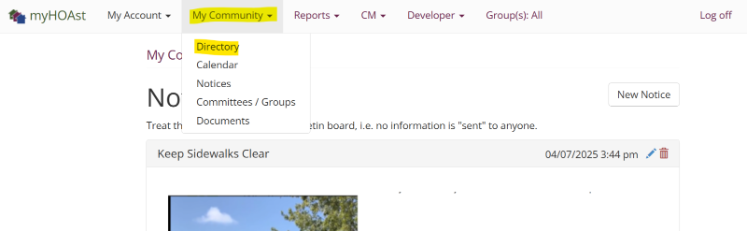
Step 1 – Access the Directory
- Go to My Community.
- Select Directory.
- Locate the homeowner using their name or address.
Step 2 – Edit Homeowner Details
- Once you find the homeowner, click the pencil icon.
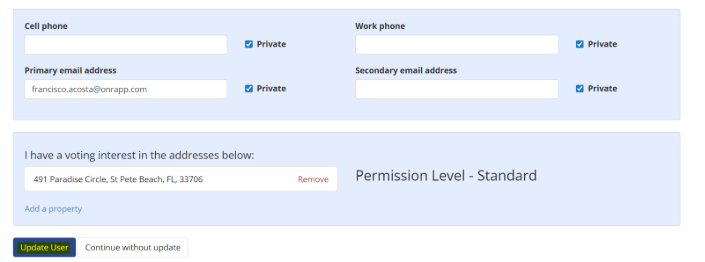
- This will display all the information associated with that user.
- Update the necessary fields (email, name, address, etc.).
Step 3 – Save Changes
After making the updates, click Update User to save the changes.
📧 Need Help?
If you encounter issues or need additional assistance, please contact our support team at:
HOAstsupport@cincsystems.com