
Step-by-Step Guide:
Step 1: When you log in, the Online Voting Consent Form will usually pop up automatically.
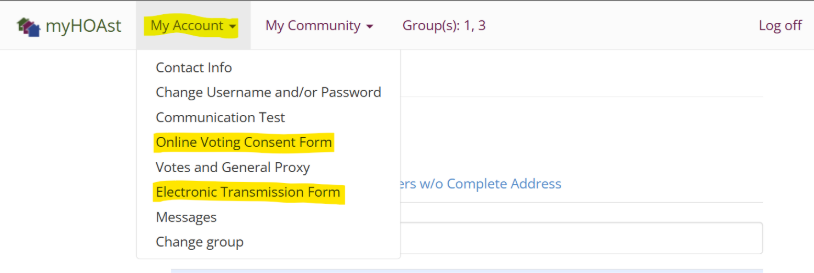
Step 2: If it does not appear, you can manually access it by going to:
My Account > Online Voting Consent Form (or Electronic Transmission Form).
Step 3: Review the form and check the two consent boxes.
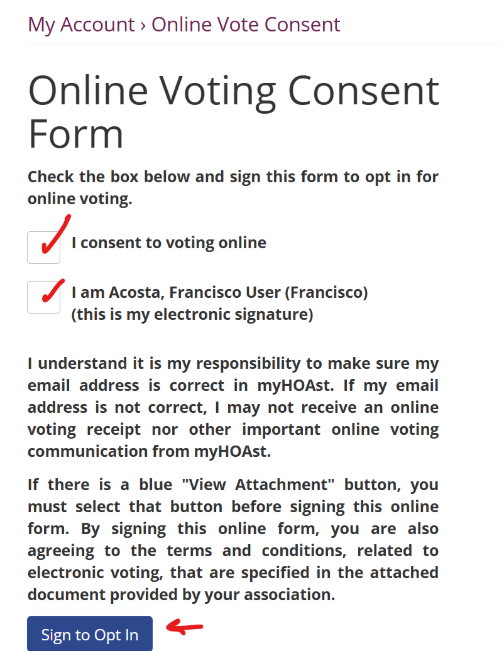
Step 4: Click Sign to Opt In.
Once signed, you are officially opted in and eligible to participate in online voting for your association.
💡 Reminder: If possible, also sign the Email Consent Form to ensure you receive all voting notices and related communications electronically.
📧 Need Help?
If you experience any issues or need additional assistance, please contact our support team at: HOAstsupport@cincsystems.com