
VIDEO TUTORIAL BELOW
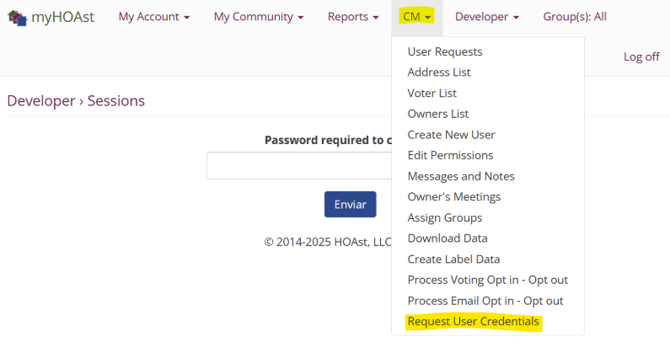
Step 1: Go to CM > Request User Credentials.
Step 2: In the search bar, type the user’s first name or last name.
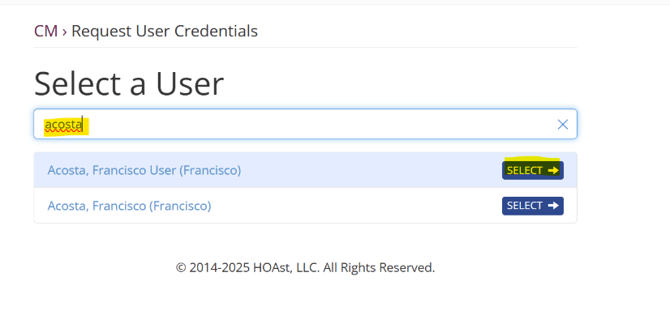
Step 3: Click Select and then Confirm.
Step 4: An email will be sent containing the user’s username and password to the admin’s email address that processed this action
- You can forward this email directly to the user, or
- Copy and paste the information into a new email.
💡 Need Help?
If you experience issues or need additional assistance, please contact our support team at: 📧 HOAstsupport@cincsystems.com