
💡 When to use this:
- The owner is no longer part of the association.
- The owner does not want to be on the HOAst platform.
- The owner was assigned to the wrong unit.
Step-by-Step Guide:
Step 1: Go to CM > Owner List.
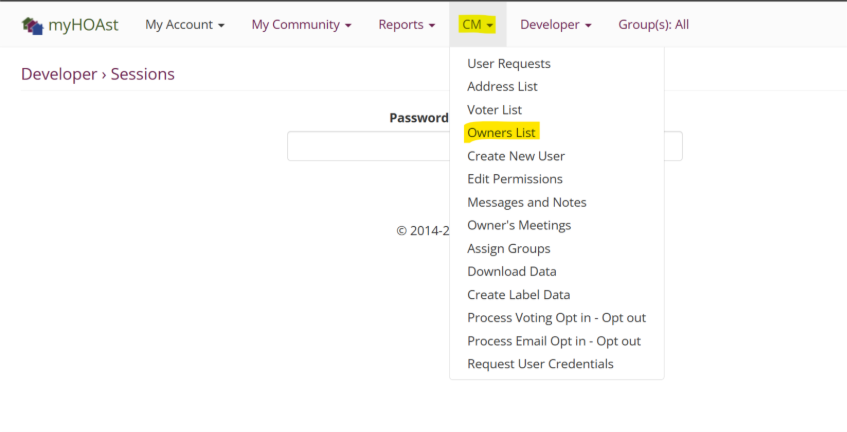
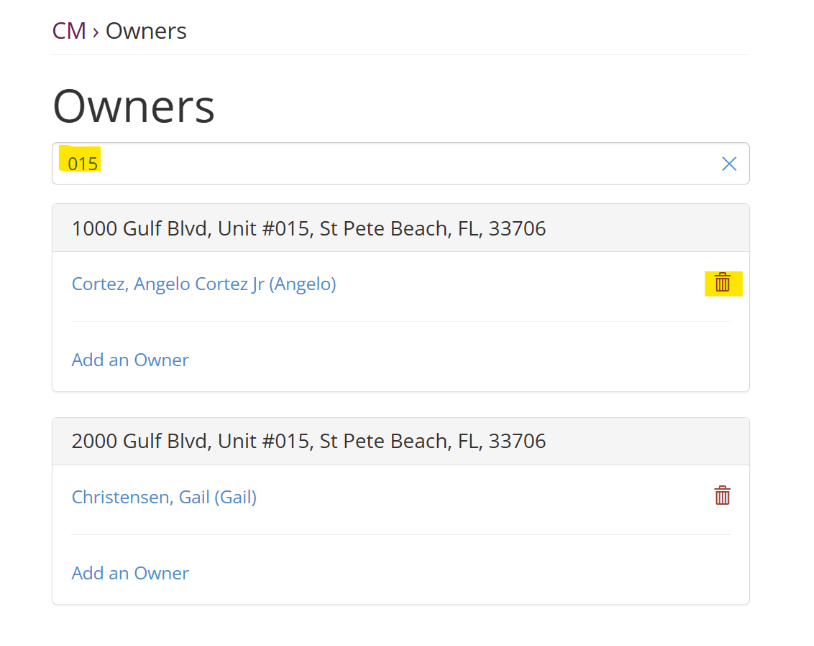
Step 2: Use the search bar to type the unit number (no spaces) and locate the desired unit.
Step 3: Once you find the unit, locate the owner and click the red trash bin icon next to their name.
Step 4: A new window will open.
- Select the Effective Date → this is the date the owner officially left.
- Depending on the situation, you may also check:
- “Remove this user as a voter for this address.”
- “Remove this user as a voter for this address if relocating to a new unit.”
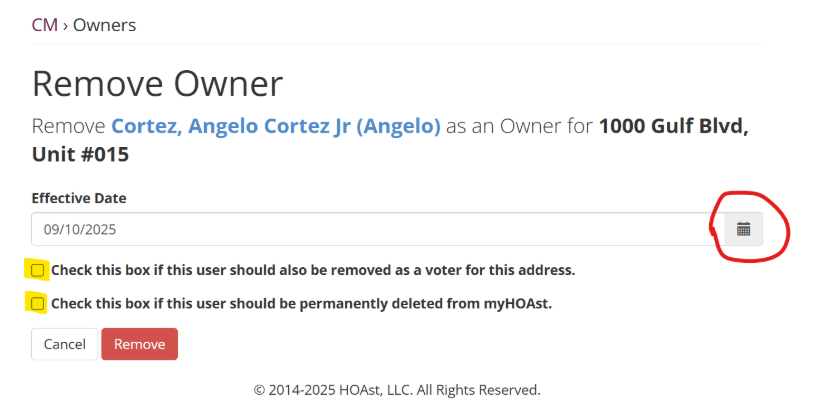
Step 5: When ready, click Remove.
The owner will now be removed from the unit and/or voter list depending on your selections.
💡 Need Help?
If you experience issues or need additional assistance, please contact our support team at: 📧 HOAstsupport@cincsystems.com