
Step 1: Start the Reset Process
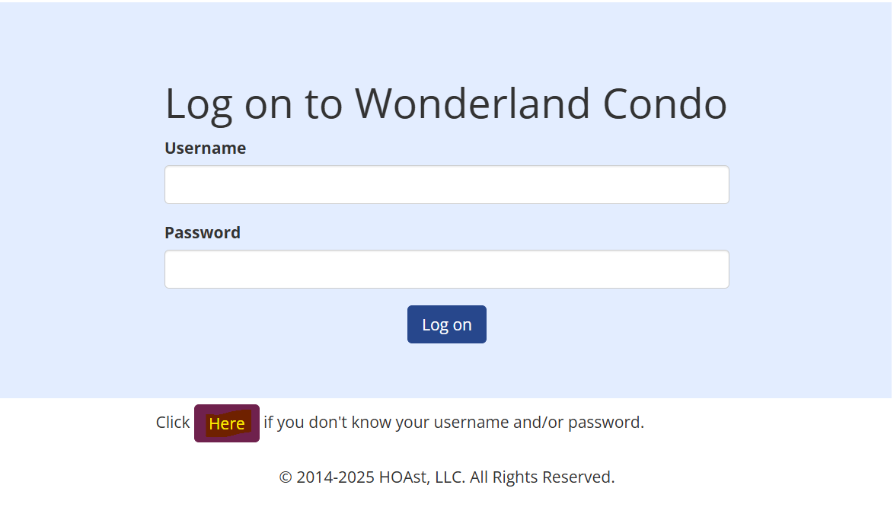
On the login page, click “Here” if you don’t know your username and/or password.
- This link can be found directly under the username and password fields.
Step 2: Enter Your Information
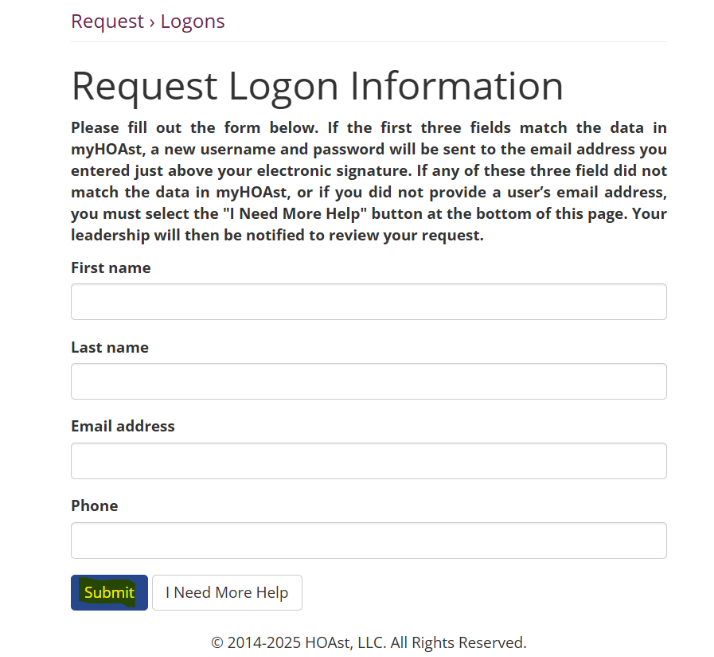
You’ll be taken to a new menu where you can enter the following details:
- First Name (required)
- Last Name (required)
- Email Address (required)
- Phone Number (optional)
⚠️ To receive the reset email, your first name, last name, and email address must match the information in the system.
Step 3: Submit or Request Help
- If all information matches → click Submit. A password reset email will be sent to you.
- If the information does not match → click “I Need More Help.”
Step 4: Manager Approval (If Needed)
If you select “I Need More Help”, your request will be sent to your association manager.
- Once approved, you will receive a password reset email.
💡 Reminder: Be sure to check your spam/junk folder in case the reset email does not appear in your inbox.
📧 Need Help?
If you encounter issues or need additional assistance, please contact our support team at: HOAstsupport@cincsystems.com