
Step 1: Opt an Owner into Online Voting
Go to CM > Process Voting Opt In – Opt Out.
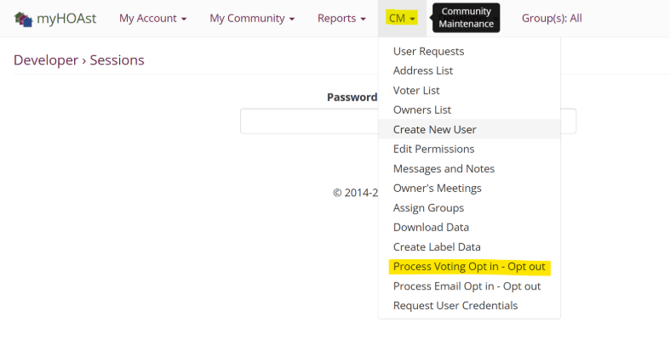
Here you will see the following options:
- Check All: Opt in all owners.
- Uncheck All: Remove opt-in for all owners.
- Print: Generate a PDF list of all owners who have consented to online voting. It does not include every voter, only those who have opted-in electronically because it is assumed their consent form for e-voting is on paper and on file with the manager.
- List: If you want a list of all owners CM>Download Data and then select ‘Voters’. This downloads all the voters into an excel spreadsheet and in that spreadsheet it will have a “Y” for YES or an “N” for NO to indicate if they are opted-in for e-voting.
To manually update a single owner:
- Type the owner’s first name or last name in the search bar.
- Check the box on the left side of their name to opt them in.
- Advise the owner to log out and log back in to see the changes reflected.
Step 2: Opt an Owner into Electronic Notices
Go to CM > Email Opt In List – Opt Out.
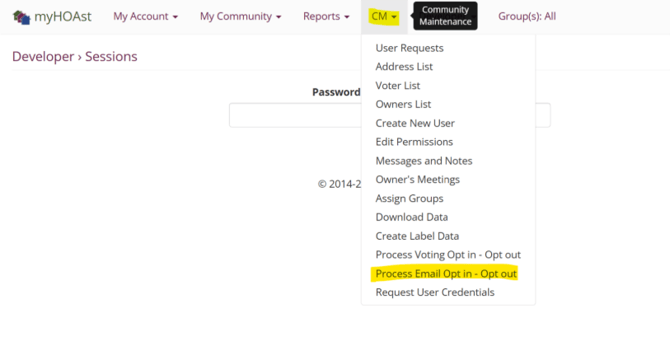
Here you will see the same options:
- Check All: Opt in all owners for electronic notices.
- Uncheck All: Remove opt-in for all owners.
- Print: Generate a PDF list of all owners who have consented to electronic notice. It does not include every voter, only those who have opted-in electronically because it is assumed their consent form for e-voting is on paper and on file with the manager.
- List: If you want a list of all owners CM>Download Data and then select ‘Email opt in’. This downloads all the voters into an excel spreadsheet and in that spreadsheet it will have a “Y” for YES or an “N” for NO to indicate if they are opted-in for e-voting.
To manually update a single owner:
- Type the owner’s first name or last name in the search bar.
- Check the box on the left side of their name to opt them in.
- Advise the owner to log out and log back in to see the changes reflected.
💡 Reminder: Always confirm with the owner that they wish to opt into these features before enabling them manually.
📧 Need Help?
If you encounter issues or need additional assistance, please contact our support team at: HOAstsupport@cincsystems.com