
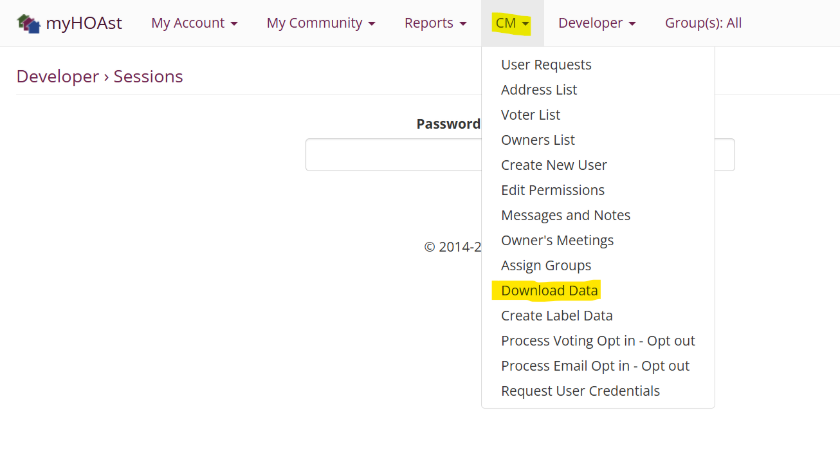
Step 1: Go to Download Data
Navigate to CM > Download Data.
Step 2: Select Groups
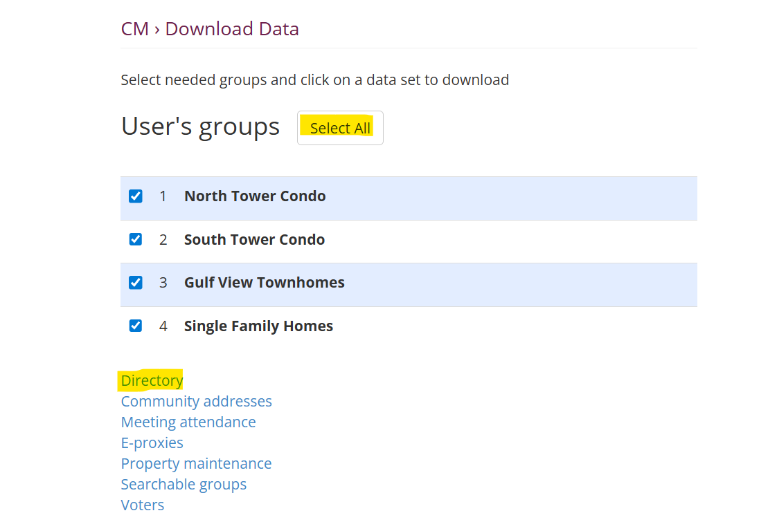
Choose All Groups to ensure the report includes every unit and user. (If Applicable)
Step 3: Download the Directory
Click Directory to generate and download the Excel file.
The file will contain the full list of units and users in your system.
💡 Reminder: You can open and filter the Excel file for easier searching, sorting, or reporting.
📧 Need Help?
If you encounter issues or need additional assistance, please contact our support team at:
HOAstsupport@cincsystems.com