
Step-by-Step Guide:
Step 1: Confirm that your association has the Groups feature set up.
- Look at the menu options at the top of your screen.
- If you see “Group(s):” next to “Developer”, then your association has groups enabled.
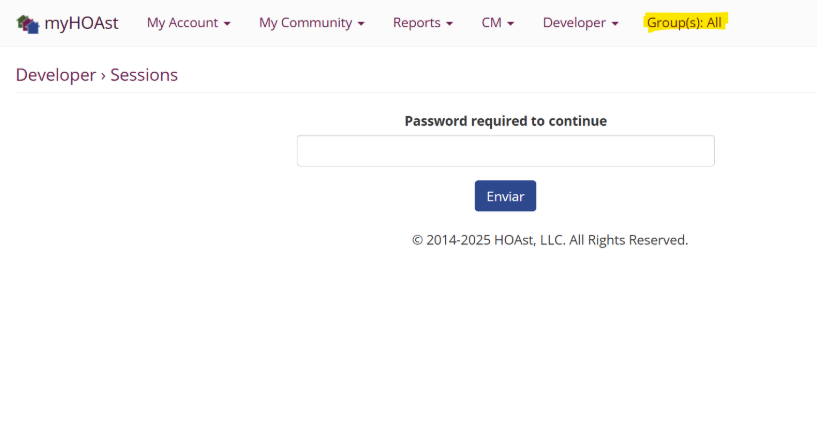
Step 2: If your association does not have this feature but you need it, please reach out to our team:
- 📧 Email: HOAstsupport@cincsystems.com
- Or send a request through the “Contact Us” button in this Knowledge Base.
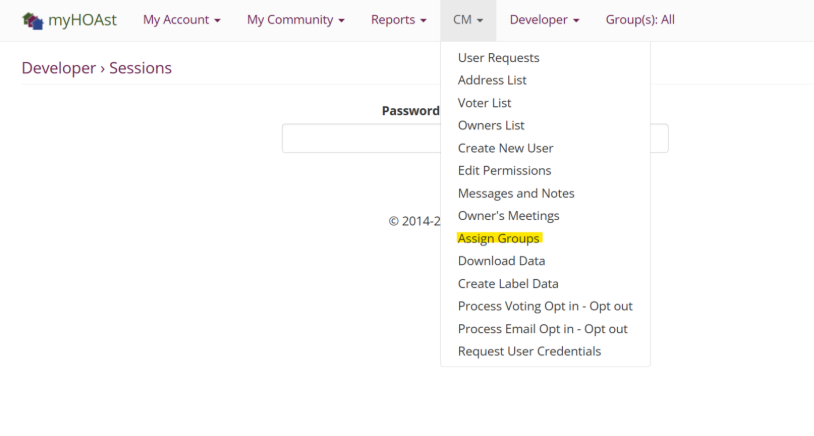
Step 3: Once you’ve confirmed groups are enabled, go to:
CM > Assign Groups
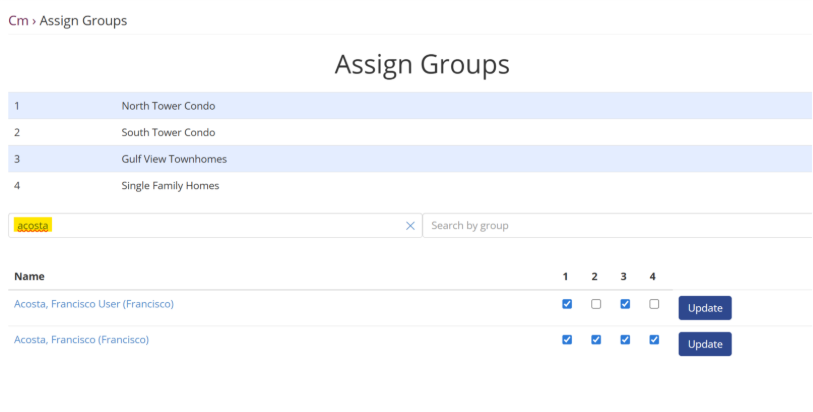
Step 4: Use the search bar and type your last name (without spaces).
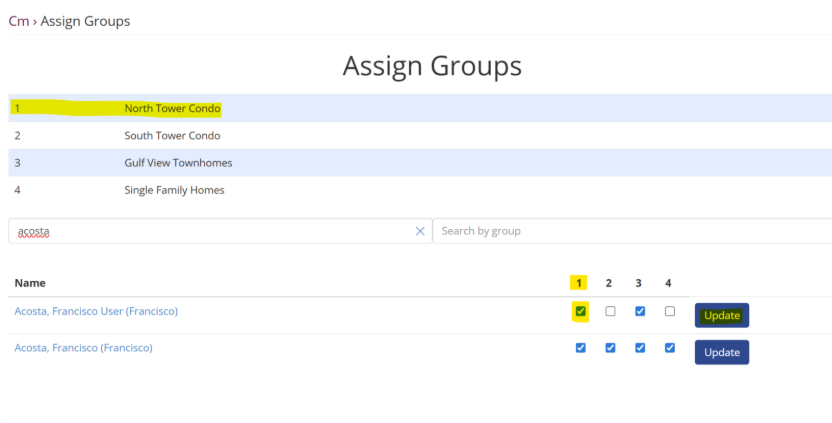
Step 5: Update the group settings:
- ✅ Click the boxes that match the groups you need.
- ❌ Uncheck the boxes that don’t apply.
- When finished, click Update.
Step 6: For best results, log out of your account and then log back in to ensure the changes are applied.
💡 Need Help?
If you experience issues or need further assistance, please contact:
📧 HOAstsupport@cincsystems.com