
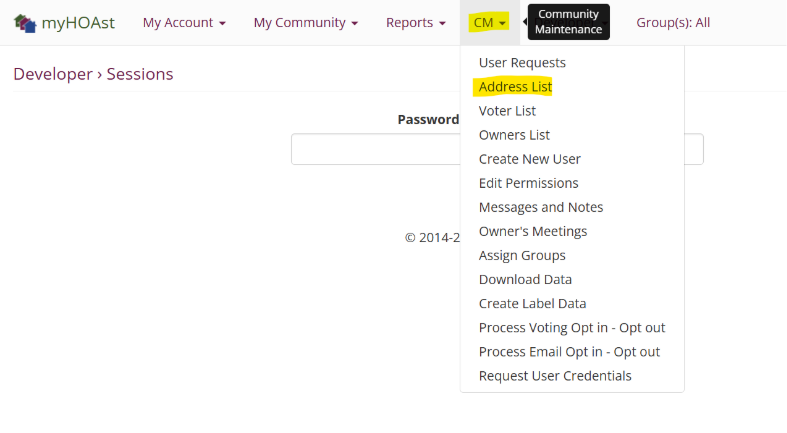
Step 1: Go to Address List
Navigate to CM > Address List.
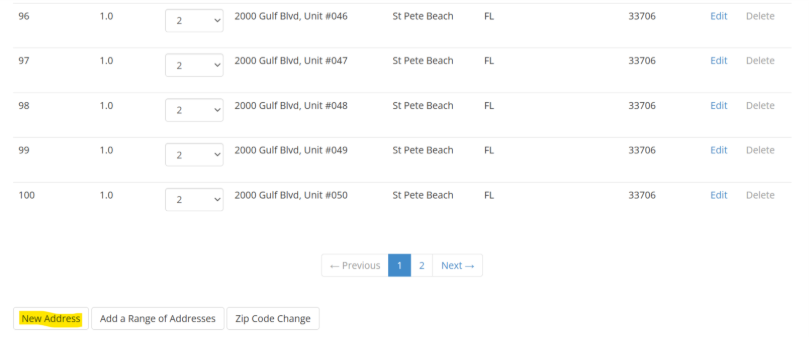
Step 2: Add a New Address
Scroll down to the bottom of the page and click New Address.
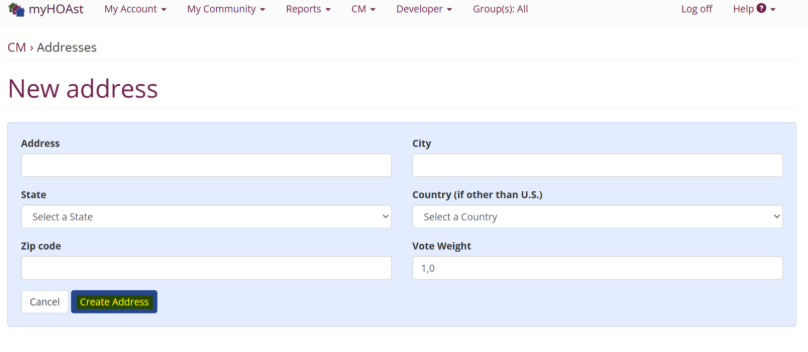
Step 3: Enter Unit Details
Fill in the required information, such as:
- Address
- City
- State
- Other applicable details
Step 4: Create the Unit
Once you’ve entered the details, click Create Address.
The new unit will now be added to your association.
💡 Reminder: Double-check that the address details are correct before creating the unit to avoid duplicates or errors.
📧 Need Help?
If you experience issues or need additional assistance, please contact our support team at:
HOAstsupport@cincsystems.com