
Step 1: Check if the Owner Already Exists in the System
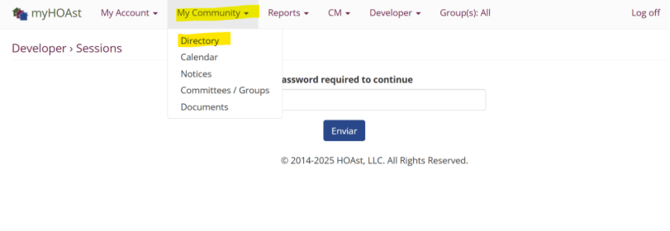
Go to My Community > Directory.
- Type the owner’s first or last name in the search bar.
- If your association has similar names, click on the name to verify the email address to confirm the correct user.
Step 2: Add the Owner to a Unit
If the owner is already in the system:
-
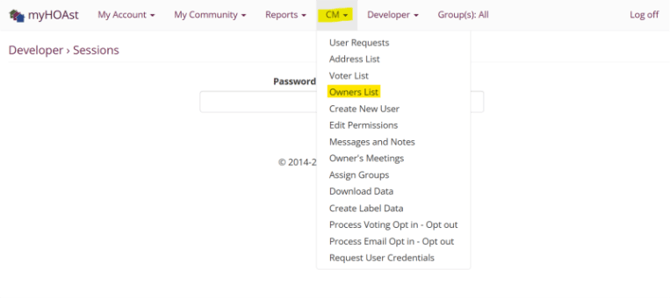
Go to CM > Owner List.
-
Use the search bar to type the unit number or address.
-
Once you find the unit, click “Add an Owner.”
Step 3: Assign an Existing Owner
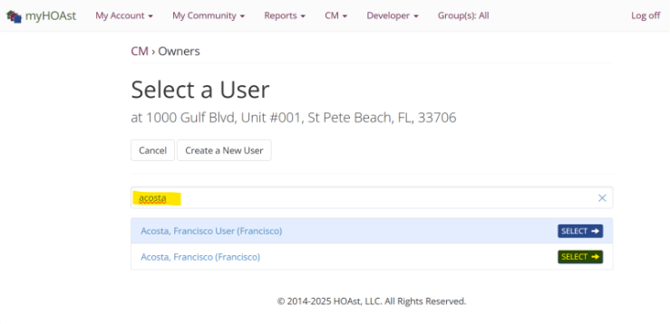
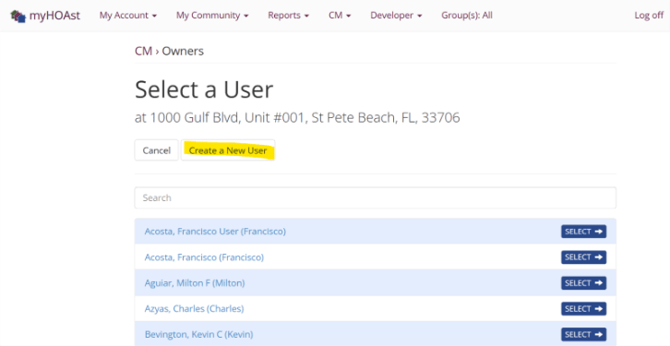
- In the search bar, type the owner’s name.
- Click Select.
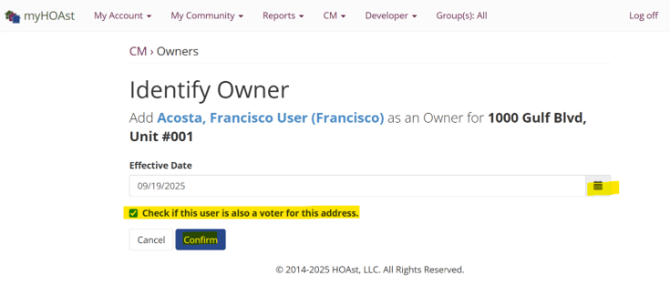
- If this person will be the voting member for the unit, check the box.
- Click Confirm.
Step 4: Create a New Owner (if not in the system)
If the owner is not already in the platform:
1. Click “Create a New User.”
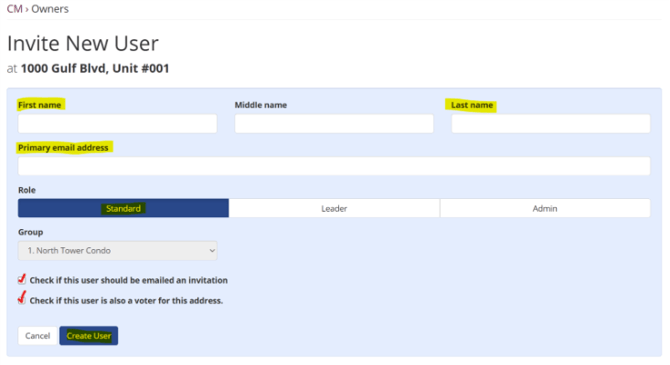
2.Enter the following information:
a. Full First and Last Name
b. Email Address
c. Role: Select Standard
d. Group (if applicable): Select the group(s)
3. Check the box to send an invite.
4. If this person will be the voting member, check the voting box.
5. Click Create User.
💡 Reminder: Always confirm whether the user already exists before creating a new one to avoid duplicates in the system.
📧 Need Help?
If you encounter issues or need further assistance, please contact our support team at:
HOAstsupport@cincsystems.com